

Live-Edit Workflow
Reflex's killer feature for rapid UI development.
The Two-Window System
When running in Debug mode, Reflex opens two windows:
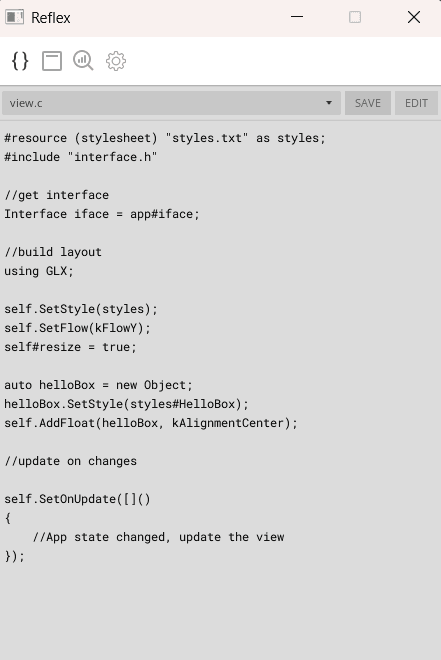
Editor Window - Edit VM files with live code editor
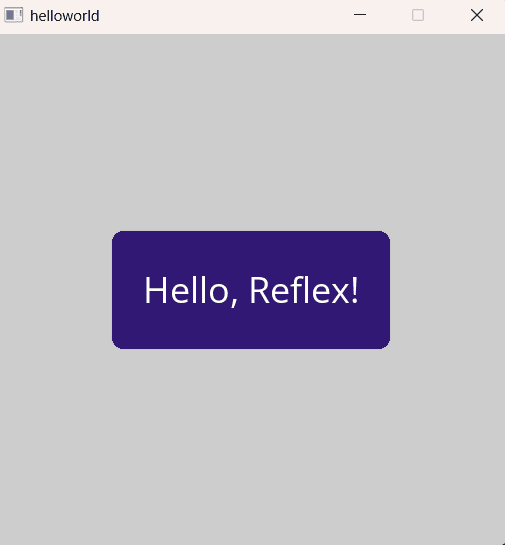
Preview Window - Your running application updates instantly
Files You Can Live-Edit
| File | What Changes | Reload Speed |
|---|---|---|
| styles.txt | Colors, sizes, fonts, animations | < 100ms |
| view.c | UI structure, layout, interactions | < 500ms |
| main.c | State management, interface impl | < 500ms |
| interface.h | VM ↔ C++ bridge definitions | < 500ms |
Files That Require Rebuild
| File | Why |
|---|---|
| app.cpp | C++ compiled code |
| view.cpp | C++ compiled code |
| entry.cpp | C++ compiled code |
| Any .h file (except interface.h) | C++ headers |
Effective Live-Edit Workflow
1. Start with Styling
Begin by defining your visual design in styles.txt:
/* Iterate on colors, sizes, fonts */Card: { size: 200, 150; margin: 8; bg: Fill(colour: 255; corner: 8); /* Try different values! */};Save frequently. Each save updates the preview.
2. Build Structure in view.c
Once styling feels right, build your layout:
auto card = Init(new, styles#Card);self.AddInline(card);/* Add children, adjust layout */auto title = Init(new, styles#Title);card.AddInline(title);3. Add Interactions
Wire up behavior:
card.SetOnClick([]() { Print("Card clicked!");});4. Move Complex Logic to C++
When interactions become complex, migrate to C++:
/* view.c — Simple delegation */card.SetOnClick([]() { iface.OnCardSelected(cardIndex);});// app.cpp — Complex logicvoid OnCardSelected(Int32 index) override{ // Validation, data updates, network calls, etc. m_selected_card = index; SaveToDatabase(); Notify(true);}Keyboard Shortcuts
| Action | Windows | macOS |
|---|---|---|
| Save current file | Ctrl+S | ⌘S |
| Reopen editor windows | Ctrl+Shift+D | ⌘+Shift+D |
| Force reload all | Ctrl+Shift+R | ⌘+Shift+R |
Troubleshooting Live-Edit
Changes not appearing?
- Ensure you saved the file (look for the save indicator)
- Check the console for syntax errors
- Try Ctrl+Shift+R to force reload
Syntax error in VM code?
- The preview shows the last working state
- Check the Editor window's console output for error details
- Fix the error and save again
Preview window closed?
- Press Ctrl+Shift+D to reopen
- Or restart the debug session
Ready to dive deeper?
Learn about the UI System to build complex interfaces with GLX.
UI System Overview →